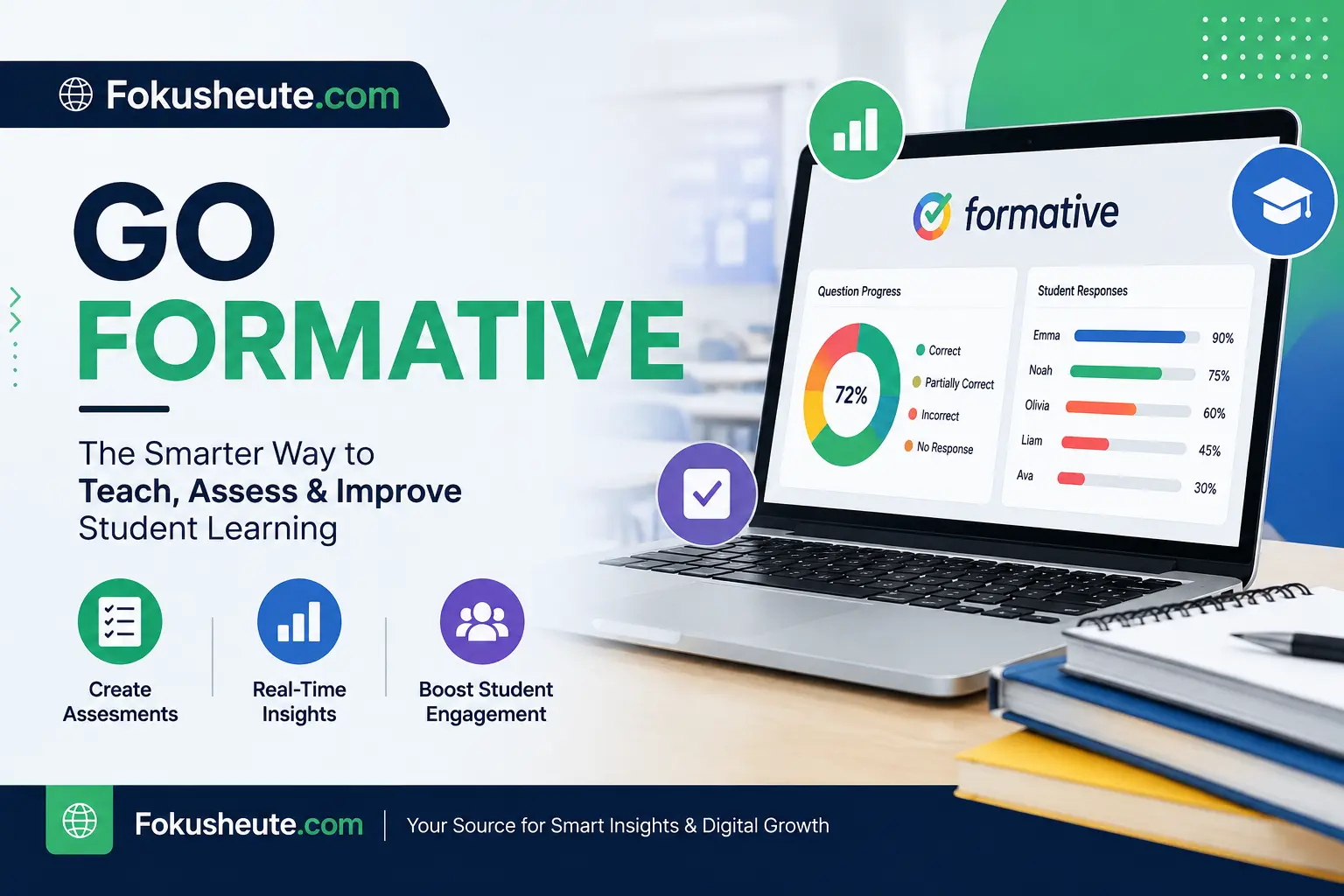
Digital classrooms need more than simple online quizzes. Teachers now need tools that can show what students understand while learning is still happening, provide fast feedback, reduce grading work, support different question formats, and turn assessment data into useful teaching decisions. Formative is built around that idea: teachers create digital learning activities, students respond online, and instructors can watch progress as answers appear.
The platform is especially useful when a teacher does not want to wait until the end of a test to discover that half the class misunderstood a concept. Live responses allow the teacher to identify confusion early, provide feedback, explain a topic again, or adjust the next activity. Students can also complete assignments, lessons, practice activities, and assessments from their devices.
The platform has expanded significantly beyond its earlier role as a simple formative assessment tool. In 2026, its ecosystem includes interactive assessments, real-time student response monitoring, standards tracking, automated grading, multimedia responses, teacher collaboration, practice sets, AI-assisted content creation, district reporting, secure assessment tools, and integrations with major classroom systems.
A beginner can think of Formative as a digital teaching and assessment workspace. A teacher creates or imports content, assigns it to learners, receives responses, evaluates understanding, provides feedback, and studies performance data. Schools and districts can extend this workflow across multiple classrooms and use shared resources, common assessments, standards-aligned reporting, and administrative controls.
This guide explains the platform from the ground up, including how accounts work, what students see, how assignments are created, what Luna AI does, how grading works, which integrations are available, what free and paid plans offer, and how the platform compares with other classroom tools.
Go Formative Overview in 2026
Formative is an online instructional and assessment platform built primarily for educators, students, schools, and districts. It combines lesson delivery, classroom activities, student practice, assessment, feedback, and learning data inside one environment. Instead of separating teaching from assessment, the platform allows instructors to check understanding during the learning process.
One of its defining features is live student-response visibility. When learners work on an assigned activity, teachers can view responses as they are being entered. This gives instructors immediate evidence of understanding rather than forcing them to wait until every student has finished.
The platform supports both quick classroom checks and more structured assessments. A teacher might use it for an exit ticket after a lesson, a standards-based quiz, a homework assignment, a digital worksheet, a practice set, a unit assessment, or a larger school-wide assessment.
Another major change in the 2026 version is the growing role of Luna AI. Teachers can use the AI assistant to help generate lessons, assessments, practice activities, and questions. The platform has also improved AI-generated math content and added support for additional interactive question formats such as text-based drag-and-drop questions.
The result is a platform that sits somewhere between an assessment system, lesson creation tool, classroom response platform, and instructional data dashboard. Its strongest value appears when educators use these features together rather than treating it as a basic quiz maker.
Go Formative Features and Latest Updates
The 2026 feature set covers much more than multiple-choice quizzes. Teachers can create interactive content, monitor student work live, deliver lessons, generate activities with AI, use standards-aligned questions, provide feedback, track progress, and connect classroom rosters through existing education platforms.
Important capabilities include:
- Real-time student response monitoring
- Interactive assessments and assignments
- 20+ technology-enhanced question and content formats
- Luna AI for lesson, activity, assessment, and question creation
- Practice sets for repeated learning
- Auto-grading for supported question types
- Rubrics and teacher feedback tools
- Standards tagging and standards-based data
- Multimedia content
- Teacher-paced and student-paced learning
- Google Classroom roster synchronization
- Clever and ClassLink support
- LMS and SIS integrations for eligible organizations
- Collaboration tools for schools and districts
- Common assessments
- Secure testing features
- School and district reporting
Several 2026 updates improve usability as well as AI creation. Class creation has been simplified into a more unified workflow, learning-tool settings have been reorganized, and Luna has improved how it generates math questions involving formulas. The AI assistant can also generate text-based drag-and-drop activities, giving teachers another way to produce interactive content efficiently.
The important point for new users is that not every feature belongs to every subscription level. Some core classroom functions are available to individual teachers, while advanced collaboration, provisioning, shared data, common assessments, and certain integrations may require school or district licensing.
Go Formative for Teachers
Teachers are the primary creators and managers inside the platform. They can build lessons, assessments, practice activities, and assignments; organize classes; invite or synchronize students; review live responses; grade work; give feedback; and analyze performance.
A typical teacher workflow starts with creating a class or syncing an existing roster. The instructor then creates an activity from scratch, imports existing material, or asks Luna AI to help generate content. After reviewing the questions and assignment settings, the teacher distributes the activity to one or more classes.
During the activity, the instructor can watch student thinking develop in real time. This is particularly useful during mathematics, science, reading comprehension, writing, test preparation, and other subjects where the final answer alone may not reveal whether the student understands the process.
Teachers can use the platform for both formative and more formal assessment. A quick three-question check can reveal whether a lesson should continue. A larger assessment can measure mastery across several standards. Practice sets can support repeated learning, while lessons can combine instructional material with checks for understanding.
The platform also supports data-informed instruction. Instead of simply recording scores, educators can look for patterns across individual students, classes, questions, and standards. That information can influence reteaching, grouping, intervention, enrichment, or future lesson planning.
Go Formative for Students
Students mainly interact with assignments, lessons, assessments, practice activities, scores, and teacher feedback. Their experience is simpler than the teacher dashboard because they do not need the content-creation and administrative tools available to educators.
After joining a class, learners can see activities assigned to them. Depending on the teacher’s settings, students may work through multiple-choice questions, written responses, interactive tasks, drawings, media-based prompts, math questions, or other activity types.
One major benefit for students is faster feedback. Because teachers can view work during the activity, a learner may receive clarification before repeatedly practicing the wrong method. This makes the platform useful for learning, not only for recording grades.
Students can also review progress where the instructor has made scores or feedback available. This helps learners understand not only whether an answer was correct but also where improvement is needed.
The platform’s student quick-start guidance describes real-time feedback, assignment access, progress tracking, and secure communication around student work as key parts of the student experience. It also supports both school-based and remote learning situations.
For younger learners or first-time users, teachers should explain the login method, where assignments appear, what submission status means, whether answers can be changed, and how feedback should be reviewed before beginning a graded activity.
Go Formative Login and Account Access
Account access depends on whether the user is a teacher, administrator, or student and on how the school has configured its digital systems. Teachers can create accounts directly, while many schools use existing sign-in systems to simplify access.
An individual educator can create a teacher account using supported single sign-on options or an email-and-password workflow. Current account creation supports options such as Google, Clever, Microsoft, and Newsela sign-in, depending on the account setup. Teachers can also identify their school during registration.
Students may receive access through a class connection, classroom integration, school account, or teacher-provided instructions. Once students are enrolled in a class, assigned activities can appear in their account without requiring a new join code every time.
If Google Classroom is used, a teacher can sync an existing class roster rather than manually recreating student accounts. Synced learners can use their Google-related credentials within the connected workflow, and assignments can be posted through the classroom integration.
Login problems commonly result from using the wrong sign-in method, signing in with a different Google or Microsoft account, joining the wrong class, using outdated browser data, or having a school-managed account restriction.
A useful rule is to continue using the same authentication method that was used when the account was created or provisioned. Switching randomly between email login and multiple single sign-on services can create confusion or duplicate-account problems.
Go Formative Assessments and Assignments
Assessments are one of the platform’s core functions. Teachers can create short checks for understanding, quizzes, tests, homework, exit tickets, practice activities, digital worksheets, and larger standards-based assessments.
Content can be created manually when the teacher wants complete control. Existing instructional materials can also be adapted into digital activities. AI-assisted creation can speed up the process by generating questions or turning source material into interactive tasks, but educators should still review AI-generated content before assigning it.
The most effective assessment design starts with a learning objective rather than a question type. For example, if the goal is to test factual recall, a selected-response question may work well. If the goal is to understand reasoning, the activity should require students to explain, show work, draw, categorize, graph, or produce another form of evidence.
Assignments can be delivered in different classroom situations. An instructor might assign an activity to everyone, use it during live instruction, provide it as independent practice, or use it for intervention with a smaller student group.
Teachers should also distinguish between assessment for learning and assessment of learning. A low-stakes classroom check should encourage correction and feedback. A secure test may require tighter settings, controlled resources, and more formal grading rules.
This flexibility is important because the same platform can support both daily instruction and higher-stakes classroom assessment without requiring teachers to rebuild their entire workflow in a separate application.
Go Formative Real-Time Student Response Tracking
Real-time response monitoring is one of the features that most clearly separates the platform from a basic online form. Teachers can observe student answers while an activity is in progress rather than waiting for a final submission.
Why does that matter? Imagine that 20 students are solving the same math problem and 13 are making the same mistake. If the teacher only sees the results after class, the opportunity for immediate correction is lost. A live response view makes it possible to identify the misconception while students are still working.
The feature also helps teachers spot differences within the class. Some students may be ready for a more challenging task, while others may need another example. A teacher can use these signals to differentiate instruction instead of treating every learner as if they need the same support.
Live monitoring can also improve classroom conversations. Rather than asking, “Does everyone understand?” and receiving little useful information, the teacher can view actual evidence from student work.
This should not become constant surveillance of individual learners. The educational value comes from identifying patterns, providing timely support, and adjusting instruction. Schools should also communicate clearly about what educators can see during digital activities.
Used well, live responses change assessment from an end-of-task score into a continuous feedback mechanism.
Go Formative Luna AI and AI-Powered Tools
Luna AI is the platform’s built-in artificial intelligence assistant. In 2026, it plays a much larger role than simply generating a few quiz questions. Teachers can use it to assist with lessons, assessments, practice sets, activities, and other instructional content.
One practical use case is starting from a teaching goal rather than a blank screen. A teacher might request a standards-aligned activity for a specific grade, subject, skill, and difficulty level. Luna can generate a starting point that the teacher reviews and edits.
Another use is converting existing content. Instead of manually recreating every question from a document or teaching resource, an educator can use AI-assisted creation to reduce repetitive setup work.
Luna has also received improvements for mathematical content. Recent changes prioritize suitable numeric question formats when mathematical expressions are involved, helping formulas render more cleanly and allowing answers to be evaluated using appropriate numeric logic. It can also generate text-based drag-and-drop questions.
AI-generated education content should always be treated as a draft rather than unquestioned authority. Teachers should verify factual accuracy, reading level, answer keys, standards alignment, wording, cultural context, and whether the generated task actually measures the intended learning objective.
For educators, the real value of AI is not replacing professional judgment. It is reducing preparation time so more attention can go toward instruction, feedback, differentiation, and student support.
Go Formative Question Types and Interactive Activities
A strong digital assessment platform needs more than multiple-choice questions because different learning goals require different forms of evidence. Formative supports a broad range of technology-enhanced and multimedia activity types.
Depending on the plan and activity configuration, teachers may encounter formats such as:
- Multiple choice
- Multiple selection
- Short response
- Numeric response
- Fill-in-the-blank
- Matching
- Categorization
- Drag and drop
- Audio response
- Video response
- File response
- Graphing
- Hot spot
- Hot text
- Dropdown questions
- Number line activities
- Resequencing
- Drawing or show-your-work tasks
Paid teacher features include several advanced interactive formats, including audio, categorize, drag and drop, file response, graphing, hotspot, matching, numeric, resequencing, number line, and video response activities.
The best question type depends on what a teacher wants to measure. Multiple choice is efficient when testing recognition or discrimination. Short responses reveal student language and reasoning. Drawing and show-your-work tasks can expose the process behind an answer. Audio and video responses may be useful for language learning, presentations, or oral explanation.
Variety should serve learning goals rather than visual novelty. Adding an interactive format simply because it looks engaging can make an activity harder without improving assessment quality.
Go Formative Auto-Grading and Instant Feedback
Automatic grading can significantly reduce repetitive teacher workload, especially when an activity contains many objective questions. Supported question types can be evaluated according to predefined correct answers, allowing scores to appear without the teacher manually checking every response.
Auto-grading is most useful for clear, structured answers such as selected-response or numeric questions. More complex work may still require teacher judgment, especially when students explain reasoning, create open-ended responses, upload files, or demonstrate a process.
The strongest workflow combines automation with human feedback. Automatic scoring can handle straightforward items, while the teacher focuses on misconceptions, written reasoning, and areas where students need personalized support.
Instant feedback can also improve learning when used appropriately. If students are practicing a skill rather than taking a secure test, receiving timely information about an incorrect response can prevent them from reinforcing mistakes.
However, teachers should decide when feedback appears. Immediate answer visibility may be useful for practice but inappropriate during a formal assessment where students could share answers with classmates.
Rubrics and direct teacher feedback add another layer. Instead of reducing performance to a number, an instructor can explain what was strong, what needs improvement, and what the learner should do next.
This balance between automation and professional judgment is much more useful than simply trying to grade everything automatically.
Go Formative Standards Alignment and Progress Tracking
Standards alignment helps teachers connect individual questions and activities to specific learning expectations. Instead of seeing only an overall percentage, educators can examine whether students are progressing toward particular skills or standards.
This is especially valuable when several questions measure different objectives. A student could receive an acceptable total score while still struggling badly with one important concept. Standards-level analysis makes that weakness easier to identify.
At the classroom level, teachers can use standards data to answer questions such as:
- Which standard is causing the most difficulty?
- Which students need additional support?
- Which skills appear secure?
- Where should reteaching begin?
- Are students improving across multiple activities?
At a school or district level, standards-aligned reporting can support broader instructional decisions. District-oriented assessment products include reporting filters by standard, student, school, and other dimensions, allowing administrators to study patterns across larger groups.
The platform also increasingly combines standards data with AI-assisted next steps. This can help educators identify areas needing support and create additional learning activities.
Data should still be interpreted carefully. One low score does not automatically prove that a student has failed to master a standard. Teachers should consider question quality, instructional context, accommodations, student circumstances, and evidence from other assignments.
Go Formative Practice Sets and Interactive Lessons
Practice sets and lessons expand the platform beyond formal assessment. Practice sets allow students to work repeatedly on skills, while interactive lessons can combine instructional material with opportunities to respond and demonstrate understanding.
This matters because effective formative assessment should be connected to instruction. If teachers only use digital tools after teaching is complete, they miss the chance to use student evidence while learning is still developing.
Interactive lessons may combine explanations, multimedia material, questions, and checks for understanding. Teachers can use pacing options to control how content moves through a class or allow students to progress more independently.
Luna AI can also assist with lesson creation. Current teacher-focused features describe AI-powered lesson development, lesson blocks, multimedia material, practice activities, and embedded checks for understanding.
A useful classroom pattern might look like this:
- Introduce a concept.
- Give students a short interactive question.
- Review live responses.
- Address a misconception.
- Continue the lesson.
- Assign a practice set.
- Review performance.
- Use the results to plan the next lesson.
This creates a continuous loop between teaching, student response, feedback, practice, and instructional adjustment rather than treating assessment as a separate event.
Go Formative Google Classroom Integration
Google Classroom integration can reduce setup work for teachers who already manage classes through Google’s education ecosystem. Instead of manually entering every learner, instructors can connect and synchronize existing classes.
Current functionality allows teachers to import Google Classroom classes and students into Formative. Existing classes can also be linked, and rosters can be resynchronized when new students join.
This can simplify several everyday tasks:
- Creating classes
- Adding students
- Maintaining rosters
- Allowing familiar sign-in workflows
- Assigning digital activities
- Posting assignments into Google Classroom
There is also a Formative add-on for eligible Google Workspace for Education environments. Availability and installation can depend on the school’s Google Workspace edition and administrative settings.
Teachers should understand the difference between roster synchronization and grade transfer. Some integration capabilities vary by plan. A free account may support important roster and sign-on functions, while more advanced grade-transfer features can require a paid subscription.
Schools should test the workflow before a major assessment. Confirm that the correct class is connected, all students appear, accounts are not duplicated, and assignment visibility works as expected.
For the latest, updated, and unique information, visit Valon Mortgage.
Go Formative LMS, Clever, and ClassLink Integrations
Schools often rely on several educational systems at once, so integration can be as important as the assessment features themselves. Formative supports multiple login, roster, LMS, and SIS workflows.
Clever can be used for single sign-on and roster synchronization. Individual teachers may connect classes through the available Clever workflow, while organizations with appropriate licensing can use more centralized provisioning.
ClassLink can support school and district roster synchronization. With the appropriate organizational license and configuration, teacher accounts, student accounts, and classes can be provisioned through the ClassLink roster environment.
Other supported integrations and enterprise workflows include systems such as Canvas, Schoology, Blackbaud, Microsoft Teams, Wonde, Infinite Campus, Aeries, Skyward, Rediker, and Synergy SIS, depending on licensing and technical setup.
Why do these integrations matter? Without them, a district might have to manually maintain thousands of accounts and rosters. Automated provisioning reduces duplicated work and helps keep student access aligned with existing school systems.
Individual teachers do not need every enterprise integration. A classroom teacher should focus on the platform already used by the school. District administrators should instead evaluate provisioning, grade transfer, data governance, support requirements, and compatibility with existing infrastructure.
Go Formative Pricing and Available Plans in 2026
Pricing depends on whether the platform is being used by an individual educator or by a larger organization. In 2026, the available structure includes options for individual classroom use as well as school, district, and broader assessment needs.
The current Classroom Plan is listed at $20.75 per month per teacher when billed annually, or $249 per year. It includes unlimited interactive content, real-time classroom insights, Luna AI assistance, advanced grading and feedback, and secure assessment tools.
Schools and districts typically need broader features than a single teacher. Organizational licensing can include collaboration, common assessments, shared libraries, advanced integrations, provisioning, and aggregated data capabilities. Pricing for these arrangements can vary based on implementation and organization size.
There is also a free teacher option, which remains important for educators who want to test the core workflow before paying for advanced features.
When comparing pricing, teachers should avoid looking only at the monthly number. The better question is: Which tasks will the paid features actually save time on?
For example, an educator who frequently needs advanced question types, grading tools, secure assessment functionality, or enhanced workflows may receive more value from a paid plan than someone who only creates occasional basic classroom checks.
Schools should evaluate cost at the workflow level: teacher time, assessment creation, roster management, collaboration, data reporting, and the number of separate tools the platform could replace or reduce.
Go Formative Free vs Paid Features
The free teacher level provides an entry point for educators who want to create digital activities and experience the platform before committing to a subscription. It includes several essential classroom features and supports major sign-on and roster workflows.
Paid plans expand the toolset. Individual paid teachers gain access to additional question types and features related to grading, scheduling, creativity, differentiation, and assessment control.
School and district licenses go further by adding organizational capabilities such as:
- Co-teaching
- Common assessments
- Shared collaboration
- Private organizational libraries
- Live collaborative editing
- Student cohort management
- Shared student data
- Advanced provisioning
- Additional LMS and SIS integrations
- Organization-wide reporting
Current plan comparisons show that Google, Clever, and Microsoft single sign-on are available across core plan levels, along with several roster-sync options. More advanced grade transfer, LTI integration, district provisioning, and collaboration functions may require higher-tier licensing.
So, is the free version enough?
For a teacher exploring digital formative assessment or running relatively simple classroom activities, it may be. For an educator who needs advanced question formats, deeper grading functionality, or more sophisticated assessment tools, a paid teacher plan may make more sense.
Schools should not compare the free and organizational levels as if they solve the same problem. One serves an individual classroom; the other supports coordinated systems across multiple educators and learners.
Go Formative Benefits for Teachers and Schools
The platform’s biggest advantage is the connection between instruction, assessment, feedback, and data. Teachers do not have to wait until an activity is complete before learning whether students are struggling.
Major benefits include:
- Faster instructional decisions: Live responses reveal misconceptions while teaching is still happening.
- Flexible assessment design: Teachers can collect many forms of student evidence rather than relying only on multiple-choice questions.
- Reduced repetitive work: Auto-grading and AI-assisted creation can save preparation and scoring time.
- Immediate feedback: Students can receive support closer to the moment of confusion.
- Standards-based insights: Performance can be studied beyond a single overall score.
- Existing-system compatibility: Integrations reduce duplicate roster and account work.
- Scalability: The same basic workflow can grow from one classroom to school or district use.
- Collaborative assessment: Higher-tier plans allow teams to work together on shared activities and common assessments.
- Practice and instruction: Lessons and practice sets support learning before and after formal assessment.
For schools, consistency is another important advantage. When multiple teachers use a common assessment environment, leaders can establish shared expectations, compare standards-level performance, and coordinate instructional responses.
However, the benefits appear only when teachers understand the platform. Buying software does not automatically improve learning. Schools need clear assessment practices, sensible implementation, teacher training, and agreement on how student data will influence instruction.
Go Formative Limitations and Common Issues
No classroom platform is ideal for every teacher, school, or learning situation. Formative’s broad feature set creates flexibility, but it also introduces complexity.
One limitation is the learning curve. A teacher who only wants to distribute a five-question quiz may find a simple form tool easier at first. The value of this platform becomes clearer when live monitoring, varied question types, feedback, standards, AI, and reporting are actually used.
Another limitation is plan-based access. Some advanced question types, grading tools, collaboration capabilities, integrations, and organization-level functions require paid plans or school licensing.
AI-generated content also needs review. Luna can accelerate creation, but it cannot replace teacher responsibility for checking accuracy, fairness, standards alignment, reading level, answer keys, and instructional appropriateness.
Technology dependence is another consideration. Live digital assessment assumes that students have suitable devices, stable access, and sufficient digital literacy. Classroom disruptions can occur when browsers, school filtering, accounts, or network connections fail.
Some teachers may also need time to design better digital assessments. Simply converting a paper worksheet into an online format does not automatically make it more meaningful.
The best approach is gradual adoption. Begin with basic activities and live responses, then introduce advanced question types, standards tagging, AI workflows, and collaborative assessment once the core process is comfortable.
Go Formative Troubleshooting and Login Problems
Most everyday problems can be grouped into account access, class enrollment, assignment visibility, browser behavior, synchronization, or school-managed permissions.
If a student cannot sign in, first confirm which authentication method the class uses. A student who originally entered through Google should generally continue using the correct Google school account rather than creating a new email-based profile.
If an assignment does not appear, check whether the student is enrolled in the correct class, whether the activity was actually assigned to that class, and whether release or availability settings are restricting access.
For Google Classroom synchronization problems, teachers can resync a connected class when roster changes occur. This is useful when new students are added after the initial setup.
Common troubleshooting steps include:
- Confirm the correct user account.
- Verify the correct class enrollment.
- Check assignment availability settings.
- Refresh the browser.
- Sign out and sign back in.
- Test a supported modern browser.
- Disable conflicting browser extensions when appropriate.
- Clear outdated cache or site data if necessary.
- Verify school network restrictions.
- Resync connected rosters.
- Ask the school administrator about SSO or LMS configuration.
Teachers should avoid major technical changes during a live graded test. Test accounts, devices, roster synchronization, and assignment settings beforehand, especially when the assessment affects grades.
Go Formative Privacy, Safety, and Student Data
Student data deserves special attention because educational platforms can contain names, account information, class membership, assignments, scores, teacher feedback, and other learning records.
Formative states that it follows education-related privacy requirements including FERPA and COPPA and says student information is not sold. Schools and districts can also manage aspects of data access, retention, and deletion.
An independent Common Sense Privacy evaluation currently gives Formative a passing assessment while also reminding schools and parents that privacy evaluations should be part of a broader vetting process before student data is shared.
Security also relates to assessment integrity. The platform provides secure testing and proctoring-related tools intended to make cheating more difficult. However, its own testing guidance emphasizes that technology should not be treated as a perfect substitute for active supervision during important assessments.
Schools should establish clear policies covering:
- Who can access student information
- Which data is collected
- How long records are retained
- Whether student work is shared
- Appropriate use of AI
- Assessment monitoring
- Parent and student communication
- Account security
- Device and browser expectations
Teachers should also explain digital assessment expectations to students instead of assuming they already understand what activity is recorded or visible.
Go Formative vs Google Forms
Google Forms and Formative can both collect student answers, but they are built for different levels of classroom assessment.
Google Forms is excellent for simple surveys, quick quizzes, registrations, basic information collection, and straightforward classroom questions. Teachers who already use Google Workspace can create a form quickly with very little training.
Formative goes deeper into instructional assessment. Its live response environment, wider set of interactive question formats, standards-based workflows, student practice, AI-assisted content creation, detailed feedback, and classroom assessment tools make it more suitable when teachers want to study student thinking rather than merely collect submissions.
A teacher asking a few multiple-choice questions after a lesson may not need the additional complexity. Google Forms may be enough.
A teacher who needs students to show work, submit multimedia responses, work with interactive question types, receive detailed feedback, and be monitored during an activity will likely benefit more from a dedicated assessment platform.
Therefore, the choice should not be based on which product has more features. It should be based on the instructional task.
Use a simple form when the job is simple. Use a richer assessment environment when the teacher needs deeper evidence of learning and wants that evidence to influence instruction in real time.
Go Formative vs Kahoot and Quizizz
Kahoot and Quizizz are well known for gamified classroom engagement, review, and quiz experiences. They can be especially effective when teachers want energy, competition, quick retrieval practice, or a game-like learning session.
Formative focuses more heavily on the assessment process and the evidence behind student understanding. Teachers can use richer response formats, monitor work live, provide individualized feedback, track standards, build lessons and practice activities, and analyze performance in greater depth.
This does not make one category universally better.
For a fast review game before a test, Kahoot or Quizizz may be the more natural choice. For a detailed mathematics assessment where students must show reasoning, an interactive assessment system is likely more appropriate.
The distinction becomes clearer when asking what happens after the answer is submitted.
A game platform often emphasizes points, pace, rankings, or engagement. A formative assessment platform emphasizes what the response reveals, what feedback the learner needs, and what the teacher should do next.
Many educators may use both approaches. Gamified tools can increase participation and retrieval practice, while a deeper assessment environment can provide richer instructional evidence.
Go Formative Alternatives in 2026
The best alternative depends on the problem a teacher is trying to solve. There is no single replacement that matches every feature.
Common alternatives include:
- Google Forms: Best for simple, familiar quizzes and forms.
- Quizizz: Useful for gamified quizzes, practice, and engagement.
- Kahoot: Strong for fast-paced classroom review and participation.
- Nearpod: Stronger when interactive presentation and lesson delivery are the main priorities.
- Socrative: Useful for straightforward classroom response and assessment.
- Pear Deck: Useful for interactive slide-based instruction.
- Canvas quizzes: Practical when a school already works heavily inside Canvas.
- Schoology assessments: Useful within Schoology-centered environments.
- Microsoft Forms: Convenient for schools based on Microsoft 365.
- Edpuzzle: Stronger for interactive video-based learning.
When comparing platforms, teachers should evaluate seven questions:
- What kind of student response do I need?
- Do I need live monitoring?
- Will I use standards-based reporting?
- Do I need AI-assisted content creation?
- Does the platform integrate with our LMS or SIS?
- How much setup time can teachers realistically manage?
- What does the paid plan provide that our existing tools do not?
The strongest product is not automatically the one with the longest feature list. It is the one that solves the school’s actual instructional workflow with the least unnecessary friction.
Go Formative Tips and Best Practices
A feature-rich platform works best when teachers use it intentionally. The goal should not be to digitize every worksheet or use every tool available.
Start with a clear learning target. Decide what students should understand or demonstrate before selecting a question format. This keeps technology from driving the lesson.
Use live responses to look for patterns rather than only individual errors. If many students miss the same concept, the problem may require whole-class clarification. If only a few struggle, targeted support may be more appropriate.
Use AI as a starting assistant. Luna can help generate ideas, questions, lessons, and practice content, but teachers should review every important activity before students see it.
Mix question formats only when they serve different learning purposes. A well-designed assessment may include a selected-response item for basic knowledge, a numeric question for calculation, and a written or visual response for reasoning.
Additional best practices include:
- Keep low-stakes checks short.
- Explain feedback expectations.
- Preview student-facing activities.
- Test integrations before graded work.
- Tag standards consistently.
- Review incorrect-answer patterns.
- Use practice data to plan reteaching.
- Avoid overloading students with unnecessary interactive elements.
- Set clear academic-integrity expectations.
- Provide accommodations where needed.
- Keep assessment settings consistent across similar classes.
- Train students on the platform before high-stakes use.
Most importantly, collect only the data that will lead to an action. Assessment information has little instructional value when no one uses it to improve the next learning step.
FAQs
Is Formative the same platform that many users previously called GoFormative?
Yes. Many older resources and search queries use the earlier GoFormative name, while the current product is branded as Formative. Users searching either term are generally looking for the same education and assessment platform.
Is Formative free for teachers?
A free teacher option is available. Educators who need additional interactive question types, advanced grading features, secure assessment tools, or other expanded capabilities can consider a paid plan.
Is Formative free for students?
Students generally access activities through their teacher or school rather than purchasing an individual student subscription. The exact access workflow depends on how the teacher, school, or district has configured accounts.
Do students need an account?
Students commonly access activities through a class, school account, roster synchronization, or supported single sign-on method. Once enrolled in a class, learners can generally see activities assigned to that class without repeatedly entering new codes.
Can teachers see student answers while students are working?
Yes. Real-time student response monitoring is a core feature. This allows teachers to identify misunderstandings during an activity and provide support before the task is over.
Can Formative automatically grade student work?
Many structured question types support automated grading. Open-ended, creative, uploaded, or reasoning-heavy responses may still require teacher evaluation.
What is Luna AI?
Luna is the platform’s AI assistant for educators. It can help generate instructional material such as lessons, assessments, questions, and practice activities. Teachers should review generated content before assigning it.
Can Luna create math questions?
Yes. The 2026 system includes improvements aimed at producing better numeric math questions and handling mathematical expressions more appropriately.
Can teachers import existing materials?
Teachers can work from existing documents and resources instead of creating every activity manually. AI-assisted workflows can also help convert or adapt instructional content into interactive digital activities.
Does Formative integrate with Google Classroom?
Yes. Teachers can sync compatible Google Classroom classes and rosters, connect existing classes, and use assignment workflows between the systems.
Does it work with Clever?
Yes. Clever can support single sign-on and roster workflows. The exact setup differs between individual teacher use and centrally managed school or district provisioning.
Does it work with ClassLink?
Yes. ClassLink roster synchronization is available for eligible school and district setups, allowing organizations to provision teachers, students, and class information more efficiently.
Can it integrate with Canvas or Schoology?
School and district licensing can support integrations with systems such as Canvas and Schoology, although some features require specific technical configuration.
Does it support standards tracking?
Yes. Teachers and organizations can connect assessment data with learning standards and use reporting to identify strengths, gaps, and progress.
Is it only for quizzes?
No. The platform supports assessments, assignments, practice sets, interactive lessons, classroom response activities, standards tracking, feedback, and broader instructional workflows.
Is it suitable for remote learning?
Yes. Because activities and feedback are delivered digitally, the platform can support both in-person and remote instructional environments, provided students have suitable devices and internet access.
Can teachers give individual feedback?
Yes. Teachers can review student responses and provide direct feedback. This is particularly valuable when an answer needs explanation rather than a simple correct-or-incorrect score.
Can it detect cheating?
The platform includes secure assessment features designed to make inappropriate behavior more difficult, but no digital tool can guarantee that cheating will never occur. For important tests, technical controls should be combined with clear expectations and appropriate supervision.
Can teachers see when students leave a test?
Secure assessment functionality can provide controls and signals related to test-taking behavior, but schools should rely on the exact settings available in their account rather than assuming every form of off-task behavior is automatically detected.
Is student information private?
The company states that it follows education-focused privacy requirements such as FERPA and COPPA and does not sell student information. Schools should still complete their own privacy and security review before adopting any education technology platform.
Which is better: Formative or Google Forms?
Google Forms is often better for simple forms and basic quizzes. Formative is generally more suitable when teachers need richer question types, live response monitoring, standards-based assessment, detailed feedback, practice activities, and deeper learning data.
Which is better: Formative or Kahoot?
They solve different problems. Kahoot is particularly strong for game-like classroom review and engagement, while Formative is built more around assessment evidence, feedback, standards, and instructional decision-making.
Can a school use it across multiple teachers?
Yes. School and district plans provide capabilities designed for broader organizational use, including collaboration, common assessments, shared resources, reporting, and selected integration options.
Is the paid plan worth it for an individual teacher?
It depends on usage. A teacher who frequently uses advanced question types, automated grading, AI-assisted creation, secure assessment, and richer activity formats may gain significant value. A teacher who only needs occasional basic quizzes may be satisfied with the free level.
What is the biggest advantage for teachers?
The biggest practical advantage is seeing evidence of student understanding while learning is still happening. This makes it possible to adjust instruction immediately instead of discovering problems after the lesson or test is finished.
Conclusion
Formative has developed into much more than a basic online quiz maker. In 2026, it combines interactive assessments, live student responses, lessons, practice sets, standards-based data, automated grading, teacher feedback, AI-assisted creation, secure assessment features, and classroom integrations in a single instructional environment.
For teachers, its strongest feature is not simply the number of question types available. The real value comes from shortening the distance between student response and teacher action. When an educator can see confusion immediately, provide feedback, adjust the lesson, and then measure improvement, assessment becomes part of learning rather than something that happens only after learning.
Students benefit from clearer digital activities, faster feedback, multiple ways to demonstrate understanding, and better visibility into their progress. Schools and districts can extend the same model through shared assessments, collaboration, standards reporting, roster provisioning, and larger instructional data systems.
The platform is not automatically the right choice for every classroom. Teachers who need only simple quizzes may prefer a lighter tool. Schools should also consider pricing, training, integrations, student privacy, device access, and implementation requirements before expanding adoption.
For educators who want a more complete connection between teaching, assessment, feedback, practice, and data, however, the 2026 platform offers a broad set of tools that can support daily classroom instruction as well as larger assessment programs.
For the latest, updated, and unique information, visit Down Detector.